Health tip · 6 min read
Desk Posture Tips for Office Workers: A Physiotherapist's Checklist

Written and reviewed by Dr. Meghna Oza, B.PT
Published 7 October 2026. Last reviewed 8 October 2026.
A good desk setup keeps your screen at eye level, your elbows at about 90 degrees, your feet flat and your lower back supported. Just as important is moving often, with a short break every 30 to 45 minutes. These simple changes help prevent back, neck, shoulder and wrist pain in office and work from home staff.
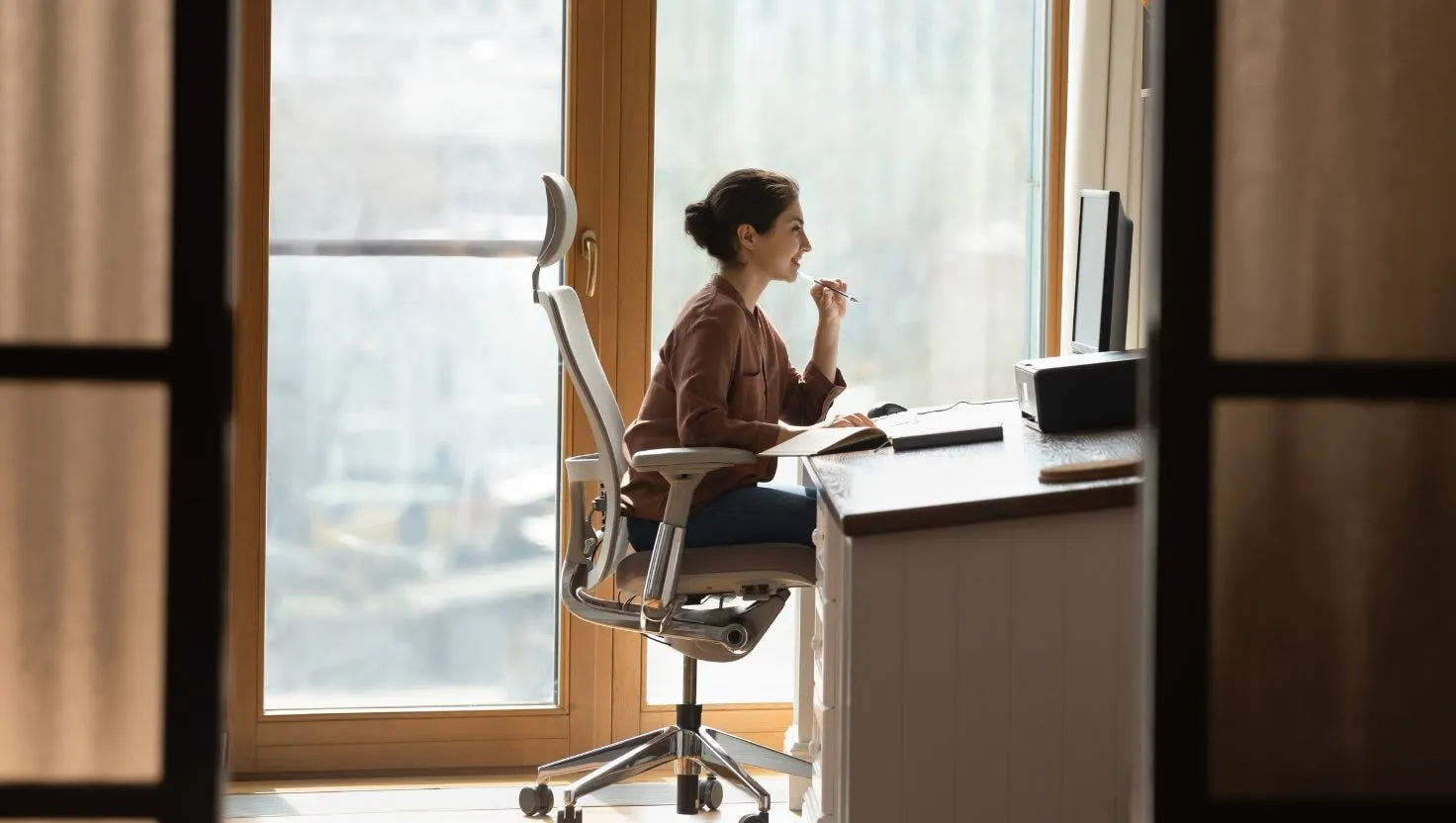
If you work at a desk, you may spend more hours sitting at your workstation than doing anything else in your life, including sleeping. A poor setup, repeated for 8 to 10 hours a day, five or six days a week, adds up. It is one of the most common reasons office workers in Ahmedabad come to me with neck pain, back pain, shoulder pain and tingling in their hands.
The good news is that most of the fixes are simple and cost little or nothing. Use this checklist to set up your desk, whether you work in an office tower on S.G. Highway or at the dining table at home.
The golden rule: your best posture is your next posture
Before the checklist, remember this: there is no single perfect posture you should hold all day. Bodies are built to move. Even a good posture becomes uncomfortable if you hold it for hours. Your setup should be comfortable, and you should change position and move often.
Step 1: Your chair
- Height: adjust the chair so your feet rest flat on the floor and your knees are roughly level with your hips.
- Feet: if your feet do not reach the floor, use a footrest, a box or a thick book.
- Back support: sit back in the chair so your lower back is supported. If the chair has no lumbar support, place a small cushion or rolled towel at the curve of your lower back.
- Seat depth: you should be able to fit two or three fingers between the front edge of the seat and the back of your knees.
- Armrests: if you have them, set them low enough that your shoulders stay relaxed, or remove them if they push your shoulders up.
Step 2: Your screen
- Height: the top of the screen should be at or slightly below eye level, so you look slightly down at the middle of it.
- Distance: about an arm’s length away.
- Position: directly in front of you, not off to one side. If you use two screens equally, place them together in front of you. If you mainly use one, put that one in the centre.
- Glare: place the screen at a right angle to windows if possible, and adjust brightness to match the room.
- Laptops: a laptop alone forces you to choose between a good screen height and a good keyboard height. Use a laptop stand with a separate keyboard and mouse.
Step 3: Keyboard and mouse
- Elbows: relaxed at your sides and bent at about 90 degrees.
- Wrists: straight, not bent up or down. Keep the keyboard flat.
- Mouse: close to the keyboard, at the same height, so you do not reach.
- Shortcuts: learn keyboard shortcuts to reduce mouse use.
Step 4: Phone use at work
- Use a headset or speakerphone for long calls. Never hold the phone between your ear and shoulder.
- Hold your mobile closer to eye level when reading messages.
Step 5: Movement through the day
This is the most important step.
- Micro breaks: every 30 to 45 minutes, stand up, stretch or walk for a minute or two.
- Walking meetings: take phone calls standing or walking where possible.
- Water: keep your bottle slightly away so you have to get up to refill it.
- Lunch: step away from your desk for lunch.
- Eyes: follow the 20-20-20 rule. Every 20 minutes, look at something about 6 metres away for 20 seconds.
Five desk stretches you can do in two minutes
- Chin tucks: gently draw your chin back. Hold 5 seconds. Repeat 5 times.
- Shoulder rolls: roll your shoulders backwards in slow circles 10 times.
- Seated twist: sit tall and gently turn your upper body to one side, holding the back of the chair. Hold 10 seconds each side.
- Wrist stretch: straighten your arm in front of you, palm down, and gently bend the wrist down with the other hand. Hold 15 seconds. Then palm up. Repeat with the other arm.
- Standing back extension: stand up, place your hands on your lower back and gently lean back. Repeat 5 times.
Working from home: special tips
Many people now work from home at least part of the week, often without a proper desk.
- Choose a table and chair, not a bed or sofa, for long work sessions.
- If the dining chair is too low, add a firm cushion. If your feet then do not reach the floor, use a footrest.
- Use a laptop stand, or raise the laptop on books, with a separate keyboard and mouse. Simple external keyboards and mice are inexpensive.
- Keep a clear start and end to the work day, and include a walk.
Exercise outside work matters too
The World Health Organization recommends at least 150 minutes of moderate physical activity a week for adults, plus muscle strengthening activities on two or more days. Regular exercise makes your body more resilient to long desk hours. Walking, cycling, swimming, yoga and strength training all help.
Signs your setup is causing problems
- Neck or shoulder pain that builds during the day
- Lower back stiffness when you stand up
- Tingling or numbness in your fingers
- Headaches by the afternoon
- Eye strain
A quick desk check you can do in two minutes
Sit at your desk and ask yourself:
- Are my feet flat on the floor or on a footrest?
- Is my lower back supported by the chair or a cushion?
- Are my shoulders relaxed, not lifted towards my ears?
- Are my elbows close to my body and bent at about 90 degrees?
- Are my wrists straight when I type?
- Is the top of my screen at or just below eye level?
- Is the screen about an arm’s length away and straight in front of me?
If you answered “no” to any of these, adjust that one thing today. Small changes made one at a time are easier to keep.
When to see a physiotherapist
Book an assessment if:
- Pain lasts more than two weeks despite improving your setup
- You have tingling, numbness or weakness in your hands or arms
- Pain keeps returning every few weeks
- You need help setting up your workstation correctly
For companies, I also offer corporate physiotherapy sessions on ergonomics, posture and injury prevention for teams in Ahmedabad.
Warning signs that need a doctor
See a doctor promptly if you have:
- Weakness in an arm or hand, or dropping things
- Numbness that does not go away
- Chest pain, especially with breathlessness or sweating (call 108)
- Neck pain with fever and a severe headache
- Severe pain after a fall or injury
Key points to remember
- Set your screen at eye level, elbows at about 90 degrees, and feet flat.
- Support your lower back with the chair or a small cushion.
- Use a laptop stand with a separate keyboard and mouse.
- Move every 30 to 45 minutes. Your best posture is your next posture.
- Regular exercise outside work makes your body more resilient.
The bottom line
A few small changes to your chair, screen and daily habits can prevent a lot of pain. Set up your desk once, and then focus on moving regularly through the day. If you work in Ahmedabad and need a personal assessment, or want an ergonomics session for your team, I am happy to help.
Frequently asked questions
Are standing desks better than sitting?
Standing all day is not ideal either. The best approach is to change position often. If you have a standing desk, alternate between sitting and standing through the day.
Should I buy an expensive ergonomic chair?
Not necessarily. A basic chair that adjusts in height and supports your lower back works well. A small cushion or rolled towel can add back support to an ordinary chair.
How often should I take a break from my desk?
Aim for a short movement break every 30 to 45 minutes. Even standing up for one minute helps.
Can my company arrange an ergonomics session?
Yes. I provide corporate physiotherapy and ergonomics training for teams in Ahmedabad, at the workplace or online.
How I can help
Related conditions
Read next
- Text Neck: How Phones and Laptops Cause Neck Pain, and How to Fix It Why looking down at phones and laptops causes neck pain, and simple habits and exercises that help. Practical advice from an Ahmedabad physiotherapist.
- Lower Back Pain: Common Causes and When to See a Physiotherapist Why lower back pain happens, what you can do at home, the warning signs to watch for, and when a physiotherapist can help. Simple advice from Ahmedabad.
- How to Choose the Right Physiotherapist in Ahmedabad Qualifications, experience, approach and red flags to look for when choosing a physiotherapist in Ahmedabad. A practical checklist for patients and families.
Trusted sources used for this page
- Working safely with display screen equipment , Health and Safety Executive (UK)
- Physical activity fact sheet , World Health Organization
This page is general health information, not a diagnosis. Please see a doctor or physiotherapist for advice about your own condition. Read the medical disclaimer.